
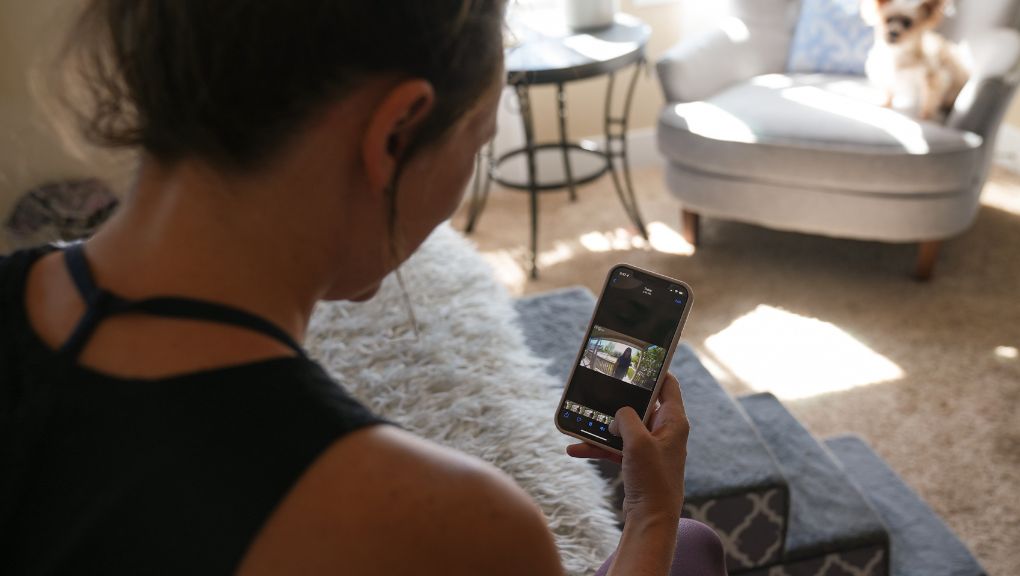
You asked your voice assistant to turn off the lights. It took four seconds. Your thermostat app is spinning. Your doorbell camera went offline again. None of these devices are broken. Running a smart home takes more bandwidth than most people realize, and the gap between what you have and what you need gets wider every time you add a device.
Bandwidth is how much data your connection can carry at once. A house full of smart devices burns through it faster than streaming ever did, because every device is constantly sending and receiving data, not just when you use it, but all day long.
If you are planning a whole-home automation setup or trying to figure out why your existing one keeps acting up, this guide covers what you actually need to know.
Key Takeaways
- Most smart homes need at least 100 Mbps download speed and 10 Mbps upload to run reliably
- Security cameras are the biggest bandwidth users in most setups
- Upload speed matters more than most people expect, especially with cameras and cloud-connected devices
- A true automation system, where devices work together automatically, puts more demand on your network than a collection of individual smart devices
How Much Bandwidth Does a Smart Home Need?
The number creeps up faster than most people expect. A basic setup with a thermostat, a few smart lights, and a voice assistant might only need 50 to 100 Mbps on its own. But that is not how most households actually use the internet.
Add two people working from home, a couple of streaming TVs, a video doorbell, and three security cameras, and you are already pushing 300 Mbps before a single automation routine runs. Every device that joins your network adds to that load, and smart home devices are unusual because they never fully go idle.
That is why Fort Collins Connexion’s plans start at 1-Gig. Not because you need a gigabit to run a smart bulb, but because a connected home in 2026 is not just smart devices. It is smart devices on top of everything else your household already does, running simultaneously, all day long.
What Uses the Most Bandwidth?
Most smart devices use very little on their own. A thermostat, a door lock, and a set of smart lights each draw just a few Mbps when active. The devices that add up fast are security cameras.
A standard video doorbell or indoor camera draws 3 to 5 Mbps per camera during active streaming, more if you are recording in HD or 4K. Four cameras running continuously can easily consume 12 to 20 Mbps before anything else in your home goes online.
A simple way to estimate your total need: take 5 Mbps for every 10 smart devices you have, then add 5 Mbps per security camera. A home with 20 devices and three cameras needs at least 25 Mbps just for the smart home side, before streaming, video calls, or anything else.
What Is the Difference Between Smart Devices and a Home Automation System?
This distinction matters for how much your internet has to work.
Individual smart devices each do their own thing. Your thermostat adjusts the temperature. Your lights turn on or off. They do not talk to each other, and you manage each one separately through its own app.
A home automation system connects everything through a central hub. When you leave the house, the system can lock the door, adjust the thermostat, turn off the lights, and arm the cameras all at once, without you doing a thing. That requires your network to handle constant communication between every device and the hub, plus an ongoing connection to the cloud for remote access and voice control.
The more devices in that system, the more your network has to juggle simultaneously. This is where people with decent internet plans still run into problems, because the issue is not always total speed. It is the steady, simultaneous load.
All of Connexion’s Internet plans are build for this. Professional-grade mesh equipment handles dozens of simultaneous connections without slowing down, and the service includes free expert installation and local support.
Does the Type of Internet You Have Matter?
Yes, and the biggest factor most people overlook is upload speed.
Most cable internet plans are asymmetrical, meaning download speeds are much faster than upload speeds. That works fine for streaming, but smart home devices send a lot of data out, not just in. Every camera recording to the cloud, every sensor reporting its status, and every voice command traveling to a server is an upload. Slow upload speed means slow automation.
Fiber internet delivers the same speed in both directions. Your cameras upload as fast as your TV streams, and your automation commands get a response just as quickly as a web page loads. Fort Collins Connexion plans start at 1-Gig with symmetrical speeds, no data caps, and no contracts.
How Do You Know If Your Current Internet Is Enough?
Watch for these signs that your setup is outgrowing your connection:
- Voice commands take several seconds to execute instead of responding right away
- Devices show as offline in their apps and need to be restarted regularly
- Automation routines fire only partially or not at all
- Video streams buffer when someone else in the house is active online
If any of those sound familiar, run a speed test during peak hours while your devices are active and your household is online normally. Check both download and upload numbers. If your upload speed is below 10 Mbps and you have cameras or an active automation system, that is likely your bottleneck.
Ready to Give Your Smart Home a Reliable Foundation?
Fort Collins Connexion is a city-owned fiber network built specifically for Fort Collins homes. Symmetrical speeds, no data caps, no contracts, and local support when you need it. Check availability at your address and see which plan fits your setup.